Set your alarm
Choose the time, repeat days, alarm tone, and the routine that has to be completed.
Wakr is a mission alarm clock for heavy sleepers and chronic snoozers, free on iPhone. Complete one focused wake-up challenge—walk 100 steps, move, hydrate, or start a practical routine—then track the mornings you follow through.
Traditional alarms only make noise. Wakr gives your half-awake brain a clear next action.
Read the plan to stop hitting snoozeAlarm Snooze Sleep Rush
Alarm Mission Awake Go
Five simple steps turn a wake-up call into the first intentional action of your day.
See the complete flowChoose the time, repeat days, alarm tone, and the routine that has to be completed.
Choose an action that fits the kind of morning you want to build.
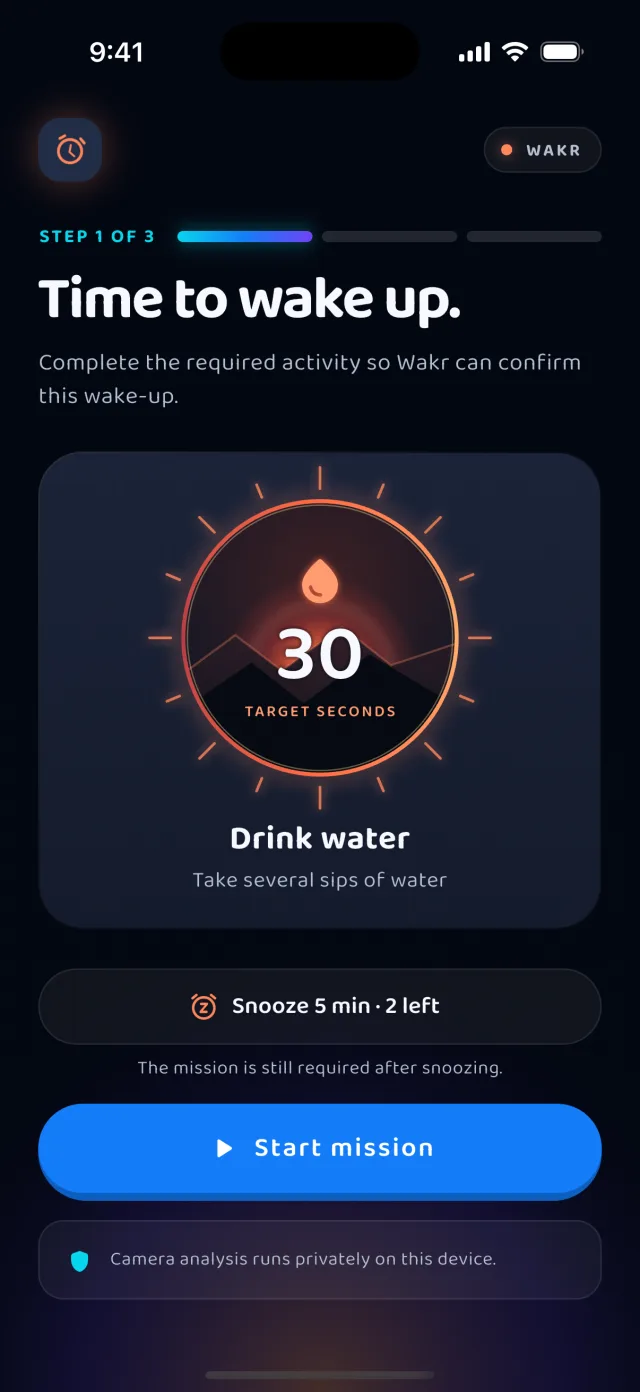
Wakr activates at your scheduled time and puts your mission front and center.
Move through every mission in order while Wakr verifies progress with the right sensor.
Finish the mission, grow your streak, and carry that momentum forward.
Choose something physical, practical, or mindful—then make it the first part of your routine.
Wakr is designed around one useful idea: the alarm is not finished until you are engaged in your morning.
One tap makes it easy to fall back asleep.
A short mission carries you from alert to active.
Wakr keeps the next action obvious—even when you are barely awake.

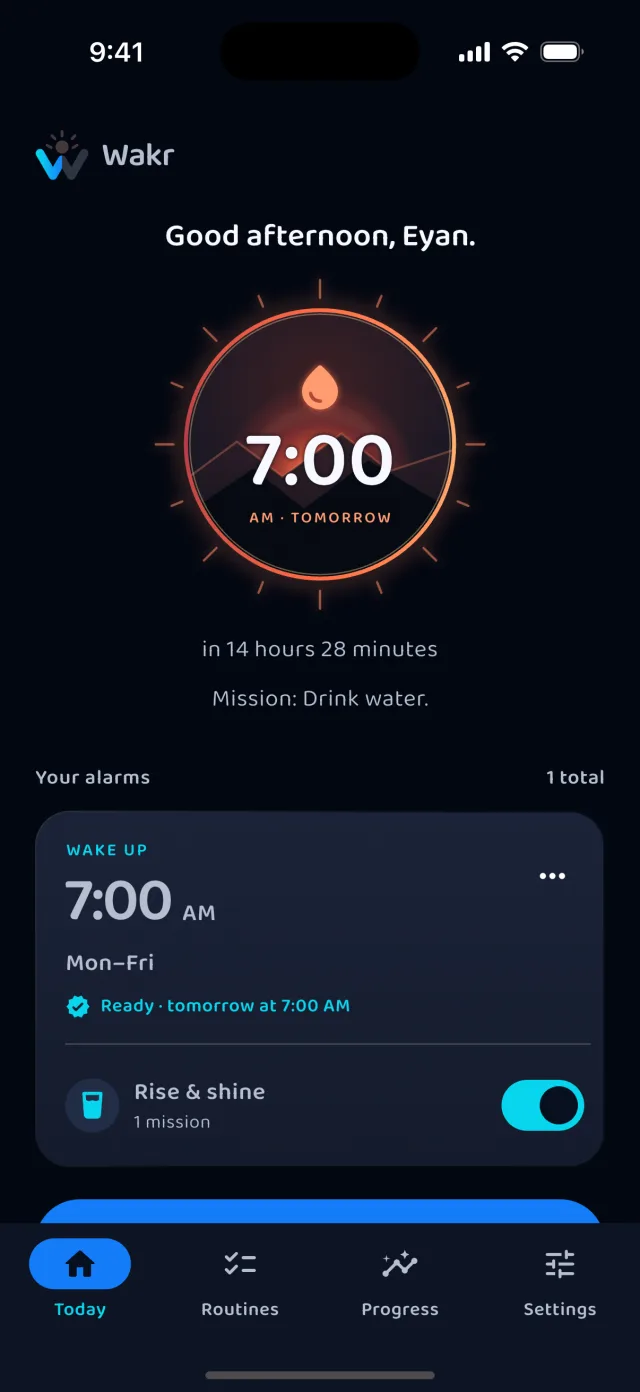
The mission is attached before you go to sleep.
There is no snooze and no stop action in the notification. The alarm ends when the mission is verified.
Choose movement, hydration, hygiene, focus, or environment-based missions.
Keep momentum visible and make successful mornings easier to repeat.
See completed missions, longest streak, completion rate, and how often you finished within 15 minutes.
Configure times, repeat days, alarm tones, and a different routine for different days.
Supported camera and motion analysis runs directly on your device.
Wake up at 7:00
Drink water
20 jumping jacks
Brush teeth
Small positive actions become easier to repeat when they are tied to something that already happens every day—your alarm. Wakr Pro chains up to five of them into one ordered routine.
One wakes the room. The other starts your morning.
 Wakr
WakrBuild the habit first, then unlock more schedules and longer mission routines with Wakr Pro.
Everything needed to create a focused wake-up routine.
Plan different days, chain missions in order, and go deeper on consistency.
All 13 missions are included on Free. Wakr Pro is $3.99 per month or $17.99 per year in the United States; the App Store sets regional prices and confirms them before you buy.
Explore practical, product-specific guidance without promises a phone alarm cannot honestly make.
See how missions, permissions, and a backup plan work together.
PRIVATE VERIFICATIONLearn which signals are used and what never gets uploaded.
PRACTICAL GUIDEFollow a seven-step reset built around preparation and one clear action.
Wakr pairs your alarm with a short wake-up mission. Instead of relying on a one-tap dismissal, you move through a concrete action chosen before bed. No alarm can guarantee that you will wake up, but a mission adds structure to the moment when snoozing is easiest.
Wakr Free runs one mission — the one you pick during setup. Any mission in the catalog can be that mission, and Walk 100 Steps is the default. Wakr Pro removes the limit so a routine can chain up to five missions in order.
Wakr includes 13 missions: walk 100 steps, brush your teeth, drink water, wash your face, do 20 jumping jacks, shake your phone for 30 seconds, find bright light, write your top priority, make your bed, take five deep breaths, leave your bedroom, spot the sky, and spot a plant. How many you can chain depends on your plan, and verification depends on your device capabilities.
Wakr matches the check to the action rather than using one generic test. Walk 100 Steps reads the phone's hardware step counter, starting from zero when the mission begins. The shake mission reads the raw accelerometer. Brushing, washing, jumping jacks, making the bed, breathing, and leaving the room use camera-based pose analysis. Find Bright Light and Spot the Sky measure scene brightness, Spot a Plant looks for a dominant green channel, and Write Your Top Priority checks that legible writing is present. Every check requires sustained evidence or a complete movement cycle, so a single held-up frame can never finish a mission, and the alarm only stops once the action is confirmed.
No. For camera-based missions a frame is captured, examined in memory for the one signal that mission needs, and then discarded. Nothing is written to storage for later analysis, and no image, pose coordinate, or recognised word is transmitted to Wakr or to any third party. Because the check runs entirely on the phone, camera-based missions keep working in airplane mode. The app does use the network for purchases, plan management, and support, but none of that involves what the camera saw.
Wakr is free to download and the free plan is not time-limited: it includes one alarm, one routine, one mission of your choosing, streaks, and core progress. Wakr Pro is a subscription that adds unlimited alarms and routines and chains up to five missions into one ordered wake-up. In the United States, Pro is $3.99 per month or $17.99 per year, with a $12.99 introductory price on the annual plan. Prices are set per region by the App Store, so the amount shown in your own store listing is the one that applies and is always confirmed before you buy.
Core alarm and mission behavior is designed to work on your device. A connection may be needed for plan management, purchases, or services provided by the app stores.
Wakr is available now on the App Store for iPhone. The Android version is still in development; email support@wakrapp.com if you would like to be notified when it is available.
No software alarm can guarantee delivery in every circumstance. Battery loss, volume settings, disabled permissions, operating-system restrictions, force-quitting, restarts, and device failure can interfere. Test Wakr on your device and keep a backup alarm for safety-critical commitments.
YOUR NEXT MORNINGSet your alarm, choose your mission, and build a morning routine you can actually stick to.
Available now on the App Store. Android is in development.